
by Rat Race Rebellion September 26, 2026
The gap between what applying for a remote customer service job looks like on paper and what actually happens after you hit submit is wider than most applicants realize. The résumé gets your foot in the door, but it’s rarely what decides whether you land the job. After the application clears initial screening, a candidate may be asked to prove their internet can carry a call, hit a specific typing speed, work through hypothetical customer scenarios, and complete a recorded video interview – often all before speaking with a live recruiter. A background check usually follows. Depending on the employer, the whole pipeline runs anywhere from a few days to five weeks, and any stage can quietly end the process before a live conversation ever happens.
That’s the reason it’s worth understanding the pipeline in advance. Not to game it, but to avoid getting screened out for something you could have prepared for. The guide below walks through what remote customer service employers actually test, when those assessments tend to happen, and how to prepare.
Quick note: Hiring processes vary by employer, program, and role type. The details below reflect what candidates commonly encounter based on employer careers pages, Glassdoor and Indeed interview reports, and our own coverage. Specific tests or requirements may differ for your role.
Equipment and Internet Requirements
One of the earliest filters in the process is your setup. Many large remote CS employers publish specific equipment and internet requirements that will eliminate you from consideration if you can’t meet them – often before you complete the application.
A hardwired ethernet connection is a common requirement among large remote CS employers, particularly for phone-based roles. WiFi, hotspots, satellite, and fixed wireless are typically prohibited during actual shift work at employers like CVS Health, Wayfair, and Amazon. Minimum internet speeds typically start around 20-25 Mbps download and 3-5 Mbps upload.
Some employers go further. Wayfair’s minimum is 25 Mbps down / 5 Mbps up on a wired connection, with the setup verified before you’re allowed to start. Foundever runs an equipment check on the actual device you plan to use for work – you can start an application on mobile, but you can’t finish the process there.
Practical prep: Before you apply anywhere, run an internet speed test (fast.com or speedtest.net) on a wired connection, not WiFi. Many large CS employers require ethernet – if you’re WiFi-only, that alone can keep you out of the running for those roles. A basic ethernet cable and modem port are the entry ticket.
Typing Speed Tests
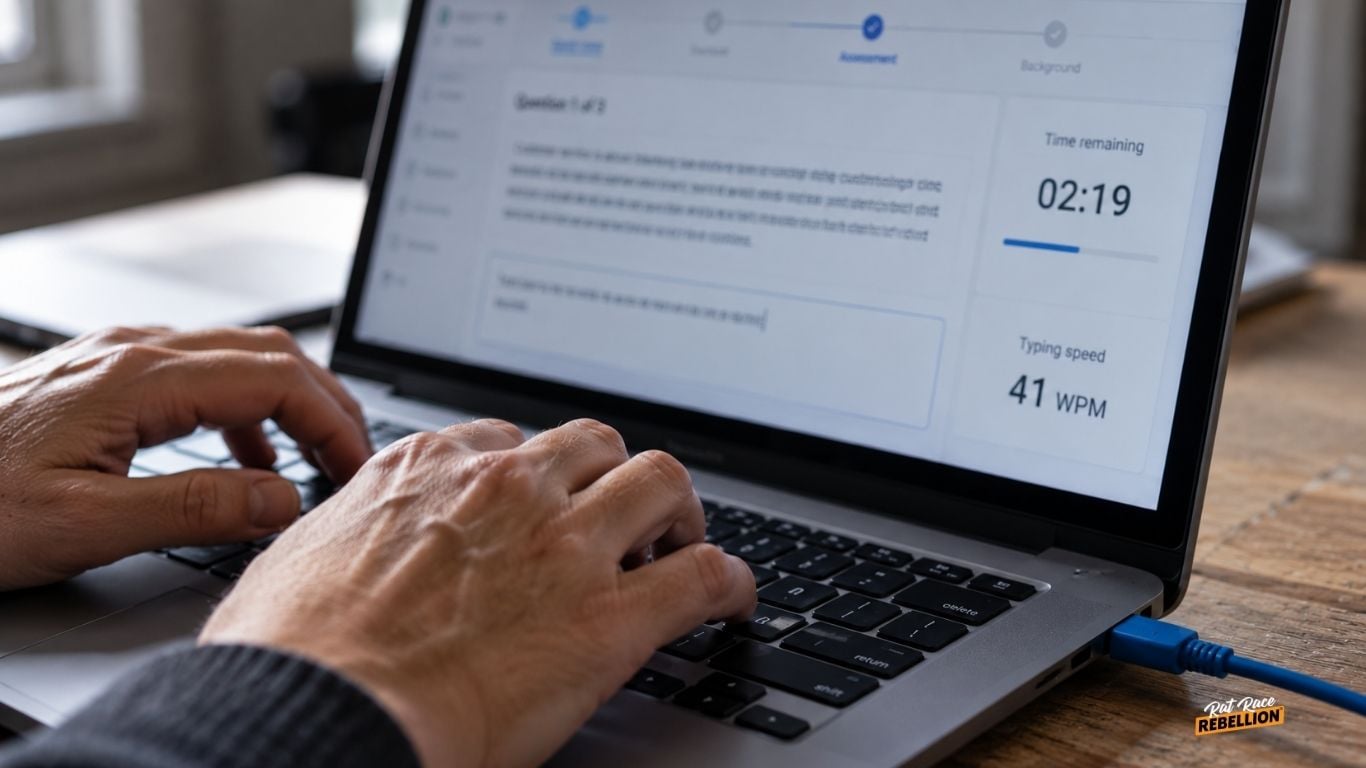
Typing speed is one of the most consistent assessment components across remote CS hiring, and required speeds vary more than most applicants expect.
Common thresholds cluster around 30-40 WPM as a baseline: Foundever reports a 30+ WPM requirement (described by past applicants as easy to pass), TTEC targets 35+ WPM, and Amazon’s virtual assessment includes a typing component alongside situational judgment and communication (full assessment runs ~45 minutes).
Some contact center employers set the bar much higher – required speeds of 80+ WPM have been reported for specific specialized programs, though these are the exception rather than the norm.
Typing tests almost always run on a computer, not mobile. Most employers require you complete the assessment on the actual device you’ll work from, which lets them verify your setup at the same time.
Practical prep: Typing speed is one of the easier assessment components to improve with practice. Free tools like Typingtest.com, 10fastfingers, and Keybr let you measure your current speed and build up quickly. The realistic goal is 40+ WPM as a floor and 60+ as a comfortable buffer, which keeps you clear at nearly every large CS employer. Practice in the kind of quiet, focused conditions you’ll face during the actual assessment. A distracted living room isn’t a fair measure of what you can do.
Situational Judgment and Customer Service Assessments
Most remote CS employers use some version of a situational judgment test – questions of the form “a customer is angry about X, what do you do?” to screen for customer service instincts. Formats vary.
Amazon’s assessment includes a substantial situational judgment portion with scenarios where you choose between multiple plausible responses. TTEC’s 30-45 minute online assessment mixes typing speed, grammar, and scenario-based questions. CVS Health uses a proprietary “Virtual Job Tryout” that combines multiple assessment formats to simulate the actual work. Foundever pairs its typing test with a personality questionnaire and sometimes a short mock call.
At the more extensive end, some contact center employers run multi-battery assessments that can include verbal reasoning, logical reasoning, math, situational judgment, and personality tests as separate components. Not every program uses all of these, but the fuller batteries do exist – expect that possibility if you’re applying to a specialized program.
Practical prep: Practice thinking through how you’d acknowledge the customer’s concern, take ownership of the issue, and work within the employer’s stated policies. The goal isn’t to memorize a “right” answer, it’s to get comfortable evaluating customer-service scenarios before you’re doing it under time pressure. Practice sites like JobTestPrep have SJT samples; free examples exist across job-prep forums.
Recorded Video Interviews and Voice Assessments
Many employers now use asynchronous video interviews – you record answers to preset questions on your own schedule, and a recruiter reviews them later.
Foundever’s recorded video interview asks candidates to answer three or four preset questions to a webcam with no interviewer on the other end. TTEC may use either a recorded or live interview depending on the role. Some contact center employers pair the video interview with a voice-proficiency assessment (like the Versant test) for phone-heavy roles.
One important trend worth naming: Working Solutions has publicly stated that AI-generated answers will disqualify a candidate – one of the clearest employer stances on the practice to date.
Practical prep: The passive format of a recorded interview – no live interviewer, no back-and-forth – makes it easy to treat these as less serious than they are. That’s the trap. A recruiter reviewing your recording can tell almost immediately when someone is reading answers off a screen, staring at the wrong part of the monitor, or winging it in casual clothes. Practicing a few common CS prompts out loud beforehand (‘Tell me about a time you handled a difficult customer’) is the fastest way to sound like you’re having a conversation rather than narrating one.
Training vs. Client Certification
Contractor-based remote CS platforms require completing client-specific certification before you take a single call. LiveOps’ client certification typically runs about two weeks.
For W-2 employees, the equivalent is paid training. CVS Health’s training runs 4-18 weeks depending on the client supported. Wayfair’s training is 100% mandatory with no missed time permitted. Amazon’s training is paid and includes hands-on customer interaction practice. DoorDash’s remote Senior Support Specialist role includes structured onboarding tied to its internal operations tools.
Practical prep: For 1099 contractor roles, budget the unpaid training window into your financial planning – you can’t earn while you certify. For W-2 roles, protect the training window on your calendar. Multiple employers explicitly state that any missed training time is grounds for termination.
Background Checks
Nearly every major remote CS employer runs a background check as the final step before an offer becomes real. What’s checked and how it’s handled varies more than most candidates realize.
Most large W-2 employers – Amazon, CVS Health, TTEC, Wayfair, Foundeve – cover the cost of the background check themselves as part of the hiring process. Federal fair-hiring rules require many employers to evaluate criminal records in context of the role rather than as an automatic disqualification, meaning a past record isn’t necessarily a barrier if it’s not directly relevant to the work.
LiveOps is an outlier on this: because its model is 1099 contractor rather than W-2 employee, applicants pay a $25 background check fee directly to the third-party administrator (Yardstik). If you’re applying to a contractor platform, budget for this.
Practical prep: If you have anything in your background that might come up, know what it is before you apply. Federal law (specifically the Fair Credit Reporting Act) gives you the right to a copy of any background check used to make an employment decision.
Final Take
Remote customer service hiring in 2026 is often a filtered pipeline, not a single interview. And several of those filters can appear before you ever speak with a recruiter – which means preparation starts before the interview.
The specifics matter. Wired ethernet, a typing speed above 40 WPM, comfort with customer-service scenarios under time pressure, and a recorded video interview treated with the same seriousness as a live one are the things that move a candidate from “applied” to “interviewed.”
Remote customer service hiring isn’t just about whether you can do the job. Employers are testing whether your setup, communication skills, judgment, and availability fit the way their operation works. Knowing those filters in advance won’t guarantee an offer. But it can keep you from being screened out for something you could have prepared for.